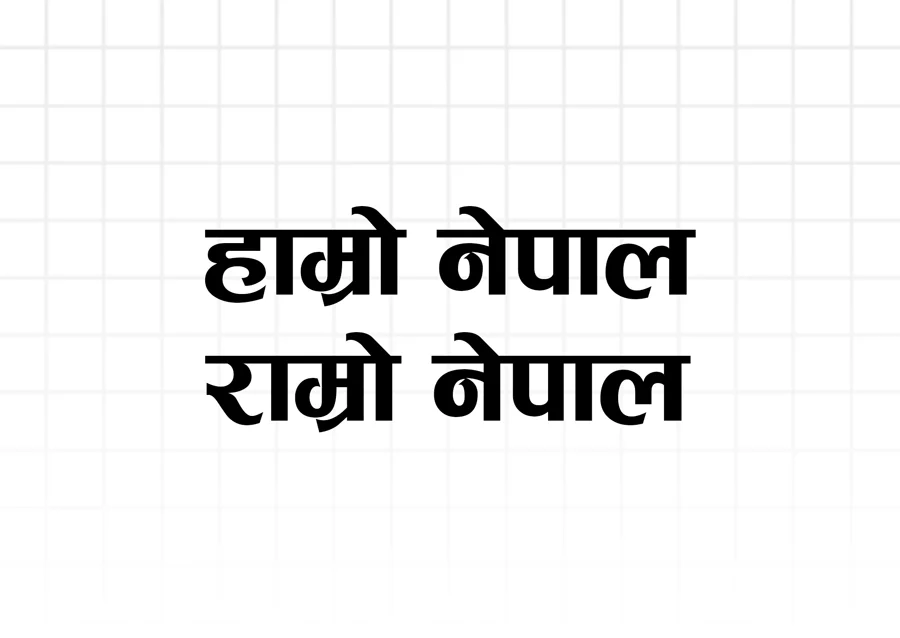
Looking for the official Ganesh Font free download? Ganesh (गणेश) is Nepal’s premier decorative calligraphy typeface. Famous for its thick, expressive brush strokes, elegant headline flourishes, and traditional cultural aesthetic, Ganesh font is the definitive choice for Nepali wedding invitation cards (Lagan Patrika), festival posters, flex banners, certificates, and YouTube video thumbnails.
Ganesh Font Technical Specifications
| Property | Specification Details |
|---|---|
| Font Name | Ganesh (गणेश) |
| Font Classification | Calligraphy / Decorative Display Font |
| Format | TrueType Font (.ttf) |
| Encoding System | Traditional ASCII / Non-Unicode Mapping |
| Keyboard Layout | Preeti Compatible Key Positions |
| Supported Platforms | Windows 11, 10, 8, macOS, Linux |
| Supported Design Software | Photoshop, Illustrator, InDesign, CorelDRAW, Premiere Pro, CapCut |
| License | Free for Personal & Design Projects |
Best Creative Use Cases for Ganesh Font
Unlike standard text fonts like Preeti and Kalimati, Ganesh is an expressive display font designed to grab attention. Graphic designers in Nepal use Ganesh for:
- Wedding Invitation Cards (विवाह लगन पत्रिका): The royal, traditional calligraphy strokes of Ganesh give auspicious wedding announcements a ceremonial and spiritual dignity.
- Flex Printing & Shop Signs: Roadside advertising banners, retail store billboards, and political campaign posters rely heavily on Ganesh font for high visibility from a distance.
- YouTube Video Thumbnails: Content creators use Ganesh font with yellow, white, or red text and heavy drop shadows to create high-click-through-rate Nepali video titles.
- Festival Greeting Cards & Posters: Celebratory banners for Dashain, Tihar, Teej, and Chhath frequently feature Ganesh font for main celebratory slogans (e.g. “शुभ दीपावली”).
- Certificates & Awards: School annual day certificates, sports trophies, and organizational honors use Ganesh for recipient names and honorary titles.
Tips for Using Ganesh Font in Photoshop & Video Editors
- Use for Headlines Only: Because of its thick strokes, avoid using Ganesh for long body paragraphs; it shines brightest at font sizes 28pt and above.
- Add Layer Styles in Photoshop: Combine Ganesh font with a 2px stroke, subtle outer glow, or gradient overlay to make titles pop against dark background imagery.
- Typing in Video Editors (CapCut, Premiere Pro): Select Ganesh font in your text panel, switch your keyboard to the traditional layout, and enter your text directly on the canvas timeline.
How to Install Ganesh Font
- Click the download button above to save
Ganesh.ttfto your system. - Windows: Right-click
Ganesh.ttfand select Install for all users. - Mac: Double-click the file and click Install Font in Font Book.
- Open Photoshop, CorelDRAW, Word, or any design tool, pick Ganesh from your font list, and start creating!
Frequently Asked Questions
Is Ganesh font free to use for commercial designs?
Yes, you can freely use Ganesh font in commercial banners, printed cards, logos, and video thumbnails without paying licensing fees.
Can I use Ganesh font on mobile devices?
Ganesh is a TrueType font designed for desktop operating systems. However, mobile video editing apps like CapCut, InShot, and VN allow you to import custom .ttf font files directly into the app.